Every compliance framework requires it. Every enterprise customer asks about it. Every security advisor recommends it. And most companies still haven't fully deployed MFA and SSO across their environment.
Not because they don't know it matters. Because rolling it out is painful if you do it wrong.
Here's how to do it without breaking everything.
Why companies delay this
The objections are always the same. "It's going to slow everyone down." "People will lose access to things." "We don't know what tools everyone is using." "Our apps don't all support SSO." "We tried once and it was a mess."
These are real concerns. MFA and SSO rollouts do break things if you move too fast without planning. But the alternative, dozens of SaaS apps with separate passwords, no centralized access control, and no way to revoke everything when someone leaves, is worse. And every day you wait makes the eventual rollout harder because the sprawl grows.
Start with the inventory
You can't put SSO in front of apps you don't know about. Before you touch any identity configuration, audit your SaaS environment.
Check your SSO provider's app catalog. Check expense reports for SaaS subscriptions. Survey your team: "What tools do you use for work?" Check browser extensions across your fleet. Review OAuth connections in Google Workspace or Microsoft 365.
You'll find 2 to 3x more apps than you expected. Categorize them: apps that handle sensitive data (customer data, PHI, source code, financial information), apps that everyone uses daily, and apps that are nice-to-have or team-specific.
Choose your identity provider
If you don't already have one: Google Workspace and Microsoft 365 both function as identity providers with built-in SSO and MFA support. For more control, Okta and JumpCloud are the most common dedicated IdPs for companies your size.
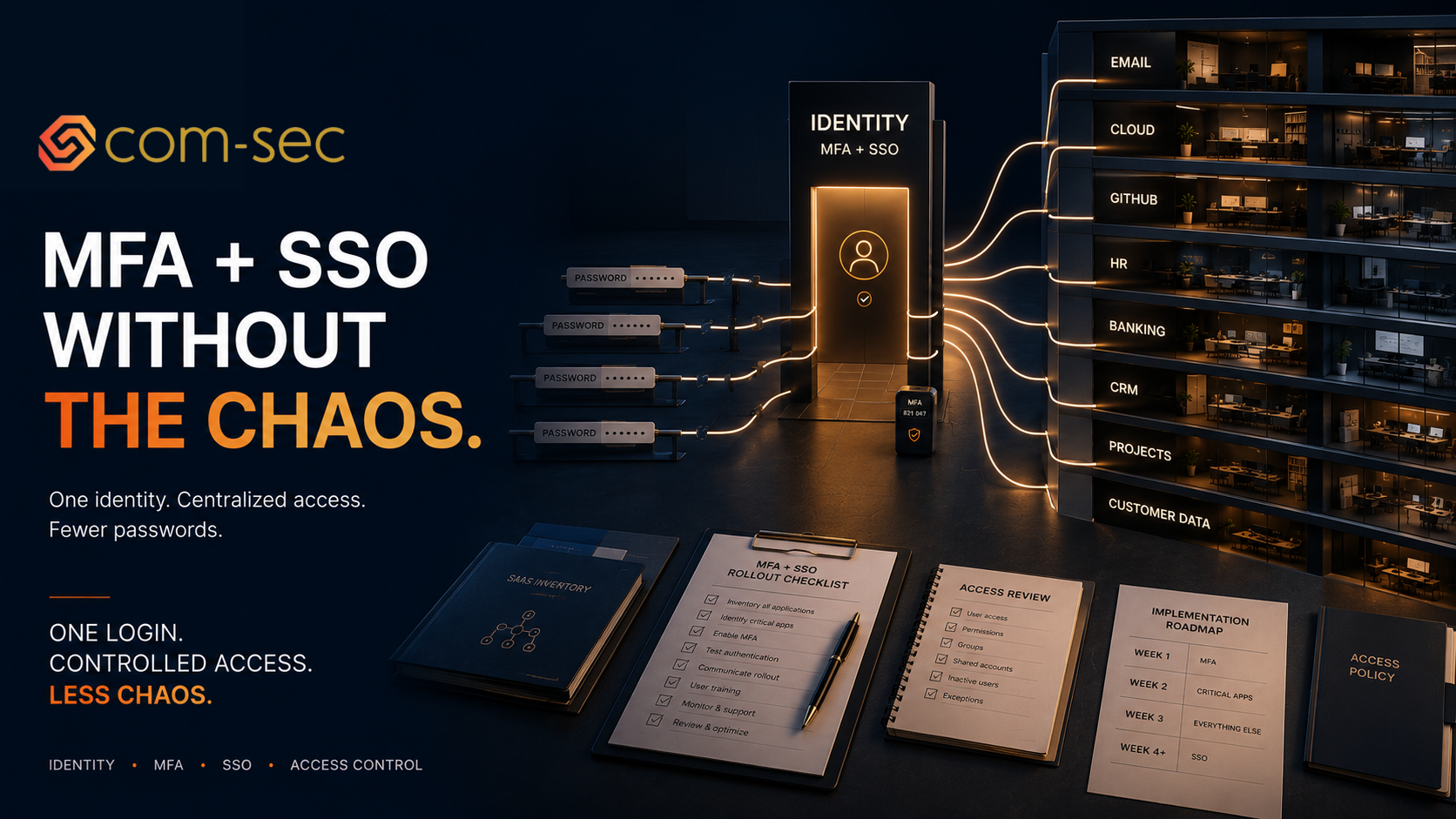
The IdP becomes the front door to everything. One login, one MFA challenge, access to all connected apps. When someone leaves, you disable one account and access to everything is revoked.
Roll out MFA first, SSO second
Do them in this order. MFA is simpler, faster, and provides immediate security value even without SSO.
Week 1: MFA on email and identity provider. Start with the account that gates everything else. If an attacker compromises your email, they can reset passwords on every other service. Google Workspace and Microsoft 365 both support enforcing MFA at the admin level. Use authenticator apps (Google Authenticator, Authy, Microsoft Authenticator) at minimum. FIDO2 security keys or passkeys for anyone with admin access. Never use SMS as the primary MFA method — it's better than nothing but it's vulnerable to SIM swapping and phishing proxies.
Week 2: MFA on critical apps. Cloud console (AWS, Azure, GCP). Code repositories (GitHub, GitLab). Banking and financial platforms. HR and payroll systems. Any admin panel for your product. These are the systems where unauthorized access causes the most damage.
Week 3: MFA on everything else. CRM, project management, design tools, analytics, anything that has an MFA option. Most SaaS apps support it now. Make it the default for every new tool you onboard.
Week 4+: SSO rollout. Now connect your apps to your identity provider. Start with the apps that support SAML or OIDC (most enterprise SaaS tools do). This is where the work gets heavier because each app has its own SSO configuration process. Prioritize by risk: apps with sensitive data first, then high-usage apps, then everything else. Some apps charge extra for SSO (the infamous “SSO tax”). Factor that into your budget but don't let it stop you — the security value of centralized access control justifies the cost.
The SSO tax problem
Some SaaS vendors only offer SSO on their enterprise tier, which can be 2 to 5x the cost of the standard plan. This is frustrating and it's a well-documented industry problem.
Options:
- Negotiate. Many vendors will add SSO to a lower tier if you ask, especially if you're a growing company they want to keep.
- Check for SAML support on lower tiers using community guides and workarounds.
- For apps that absolutely won't support SSO at a reasonable price, enforce strong MFA and monitor access through your IdP's OAuth connection logs.
Don't let the SSO tax become an excuse to skip SSO entirely. Even if 20% of your apps can't be connected, having 80% behind SSO with centralized control is dramatically better than having 0%.
The compliance angle
SOC 2 CC6.1 and CC6.3 cover logical access controls. ISO 27001 A.8 covers access management. HIPAA Security Rule requires access controls and unique user identification. Every framework expects centralized access management, MFA on critical systems, and documented access provisioning and deprovisioning.
Having SSO and MFA deployed across your environment satisfies multiple controls simultaneously. It also makes access reviews dramatically easier: you review access in one place instead of 30.
What we do
We roll out SSO and MFA for clients as part of our managed IT and security services. We handle the inventory, the IdP configuration, the app-by-app SSO setup, and the documentation for your compliance program. For most companies, the rollout takes 2 to 4 weeks with minimal disruption to the team.
Farbod Fakhrai is the founder of Com-Sec, a cybersecurity and compliance consulting firm supporting startups and growth-stage companies, with deep expertise in healthcare and health tech.