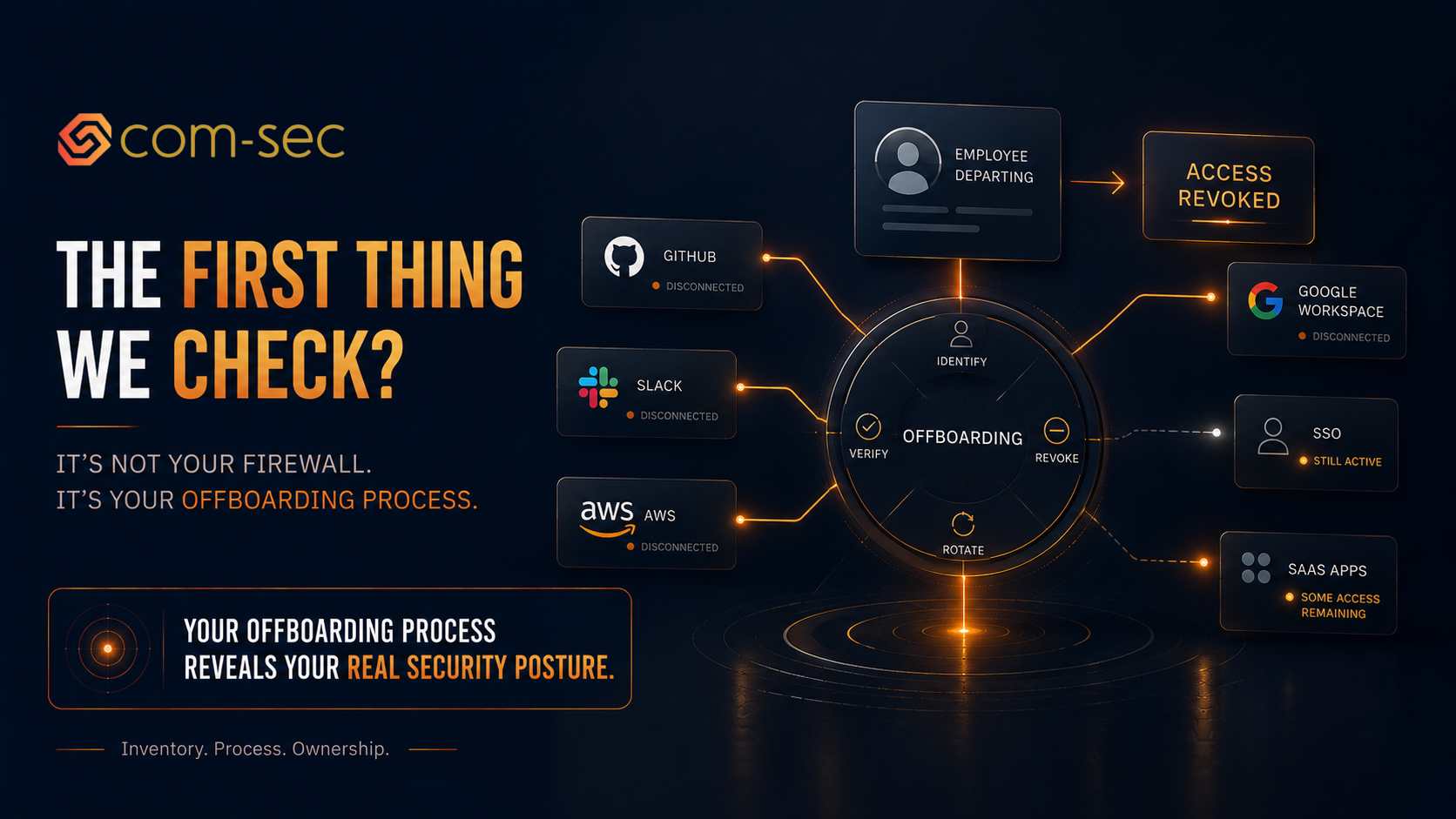
When we start working with a new client, there's a long list of things to assess. Cloud configuration, access management, endpoint protection, policies, vendor risk, compliance readiness. It's a lot, and every company's environment has its own quirks.
But one of the first things we look at, before we dig into any of that, is the offboarding process.
Not the firewall. Not the SIEM. Not the vulnerability scan results. The offboarding process.
Show me what happens when someone leaves your company and I'll tell you more about your security posture in 10 minutes than any questionnaire ever could.
Why offboarding tells us everything
Offboarding is the canary in the coal mine for how disciplined the rest of your security program is. If you can revoke access cleanly and consistently when someone leaves, it means you know what systems people have access to, you have a process that works, and someone owns it. Those three things, inventory, process, and ownership, are the foundation of every security program.
If offboarding is messy, it means you don't have a complete picture of access across your environment, you don't have a reliable process for managing changes, and nobody is consistently driving security operations. That tells us what the rest of the engagement is going to look like.
Every company I work with gets this exercise in the first week: pull up a list of everyone who's left in the last 12 months. Now show me when their access was revoked across every system. Email. Slack. GitHub. AWS. Google Workspace. Your application admin panel. VPN. SSO. Every SaaS tool they had access to. Every shared credential they knew about.
What we usually find
At least one former employee still has active access somewhere. Usually more than one. And the findings are rarely minor.
I've found a contractor from 8 months ago still holding admin access to a production AWS environment. Nobody remembered to revoke it because the contractor was managed by the engineering team, not HR, and the offboarding checklist only covered HR-initiated departures.
I've found a former CTO whose personal email was still an owner on the company's Google Workspace domain. They left 14 months ago. Nobody thought to transfer ownership because the CTO set up the domain originally and everyone assumed someone else would handle it.
I've found former employees still active in GitHub repos containing proprietary source code. Still active in Slack channels discussing customer data. Still listed as admins in third-party SaaS tools that process sensitive information.
In one case, a former employee's account was still active in the company's banking platform. Not as an admin, but with sufficient access to view transaction history and account balances. The employee had been gone for 6 months.
These aren't edge cases. This is what we find at the majority of companies we onboard, across every industry, at every stage. Startups, growth-stage, mid-market. The pattern is remarkably consistent.
Why this keeps happening
At most startups, offboarding is informal and incomplete. The typical process looks something like this: HR gets notified that someone is leaving. HR tells IT (usually via Slack or email, not through a ticketed system). IT disables the email account and maybe the SSO account. And that's where it stops.
Nobody checks Slack. Nobody checks GitHub. Nobody checks AWS or GCP or Azure. Nobody checks the 15 SaaS tools the employee was using. Nobody checks whether they had API keys committed in the codebase. Nobody checks shared credentials that the employee knew about (and there are always shared credentials at startups).
The problem is compounded by three factors:
No complete access inventory. Most startups don't have a complete inventory of what systems each employee has access to. There's no central access register, no automated provisioning and deprovisioning. Access is granted ad hoc over time as people need things, and nobody tracks the full picture. So when someone leaves, it's “disable what we remember” and hope nothing gets missed.
Non-employees fall through the cracks. Not everyone who leaves goes through HR. Contractors, freelancers, part-time advisors, interns, and agency partners often have access to company systems but aren't in the HR system. When they leave, there's no trigger. Their access just sits there until someone notices, if someone notices.
Offboarding isn't anyone's priority. The people doing IT at early-stage companies are often engineers who are also doing 10 other things. Offboarding isn't their priority. They get the Slack message, they disable the email, and they move on to their actual work. The remaining systems don't get touched until someone asks.
The SOC 2 impact
This is the number one source of SOC 2 exceptions. Number one. More than any other control.
During a SOC 2 audit, the auditor tests your access management controls by comparing your HR records (start dates, termination dates) against your system access logs (when access was actually granted and revoked). They pull a sample of terminations during the review period and check whether access was revoked within the timeframe specified in your policy.
If your policy says access will be revoked within 24 hours of termination and the auditor finds that it took 10 days for one employee, that's an exception. If they find that a contractor's access was never revoked at all, that's a bigger exception. If they find a pattern of delayed offboarding across multiple terminations, that calls into question whether the control is operating effectively.
I've seen companies accumulate 5 or 6 exceptions on a single SOC 2 report, all from offboarding gaps. That's not a good look when an enterprise customer reads your report. It signals that you have a systemic problem with a fundamental security control.
For ISO 27001, it's similar. Access control is covered under Annex A controls, and offboarding is part of the A.6 (People Security) requirements. If your internal audit finds offboarding gaps, they become nonconformities that need to be resolved before your certification audit.
The security risk beyond compliance
Compliance aside, the security risk is real and straightforward.
A former employee with active credentials can access your systems. Whether they're malicious or not doesn't matter. The access exists. If their credentials are compromised through a separate breach (credential stuffing, phishing, password reuse), an attacker can use them to access your environment. The attacker doesn't know or care that the account belongs to someone who left 6 months ago.
Former employee accounts are actually more dangerous than current employee accounts in some ways. Nobody is monitoring them. Nobody is logging into them regularly, so there's no baseline of normal activity to compare against. If an attacker accesses a former employee's account at 3am on a Sunday, there are no alerts because the account was already dormant.
In regulated industries, the risk escalates further. A former employee with access to PHI, PII, or financial data represents a compliance violation that could trigger breach notification requirements. Under HIPAA, access by an unauthorized individual (including a former employee who should have been deprovisioned) can constitute a reportable breach.
How to fix it
The good news: this is one of the most solvable security problems. It doesn't require expensive tools or complex architecture. It requires process and follow-through.
Step 1: Build a complete access register. List every system, application, and service that your employees and contractors have access to. Every cloud console, every SaaS tool, every repository, every shared credential, every API key. If you don't know what people have access to, you can't revoke what you don't know about.
Step 2: Automate where possible. If you're using Rippling, Okta, JumpCloud, or a similar platform, connect your HR system to your identity provider so that termination triggers automatic access revocation across connected systems. This eliminates the most common failure point: the gap between HR knowing someone left and IT acting on it. Automation won't cover everything, but it handles the 80% that's most critical and most likely to be missed.
Step 3: Build an offboarding checklist for the remaining 20%. For every system that isn't automated, create a manual checklist. Include shared credentials that need to be rotated. Include API keys that need to be revoked. Include third-party tools that aren't connected to SSO. Make the checklist specific enough that someone who doesn't know the departing employee can complete it.
Step 4: Include contractors and non-employees. Your offboarding process can't be limited to HR-triggered departures. Contractors, freelancers, advisors, interns, and agency partners all need to go through the same process. Create a trigger mechanism: when a contractor engagement ends, someone (the project owner, the hiring manager) initiates the offboarding process.
Step 5: Verify with quarterly access reviews. Even with automation and checklists, things get missed. Every quarter, pull a list of all active accounts across your critical systems and compare it to your current employee and contractor roster. Identify and remove any accounts that shouldn't be there. Document the review — this is also evidence for your SOC 2 audit.
Step 6: Assign ownership. Someone needs to own the offboarding process, not just participate in it. They're responsible for making sure every departure is handled completely, the checklist is followed, the automation is working, and the quarterly reviews happen. At most startups, this is the security lead, the vCISO, or the IT manager. Without clear ownership, the process decays within 6 months.
What clean offboarding looks like
When offboarding works well, it looks like this: HR processes the termination. The identity provider automatically disables SSO access and disconnects all linked applications. The IT or security owner receives an automated notification and runs through the manual checklist for any remaining systems. Shared credentials the employee knew about are rotated. API keys and access tokens are revoked. The laptop is collected (or remotely wiped if remote). The offboarding is documented with timestamps showing when each system's access was revoked.
The whole process takes less than an hour and the audit trail is clean. When the SOC 2 auditor pulls a sample 6 months later, every termination shows access revoked within the policy window, documented and verified.
That's what good looks like. And it starts with treating offboarding as a security process, not an HR afterthought.
The bottom line
When we walk into a new client's environment, offboarding is one of the first things we check because it tells us everything we need to know about the health of the security program. If a company can cleanly terminate access within 24 hours, consistently, across every system, with documentation, the rest of the program is usually in good shape. If they can't, we know where to start.
It's not glamorous. It doesn't make for exciting conference talks. But it's one of the most practical, highest-impact security controls any company can get right. And it's the one that most companies get wrong.
Farbod Fakhrai is the founder of Com-Sec, a cybersecurity and compliance consulting firm supporting startups and growth-stage companies.